
Resuming a Course and Downloading Certificates
Resuming Courses
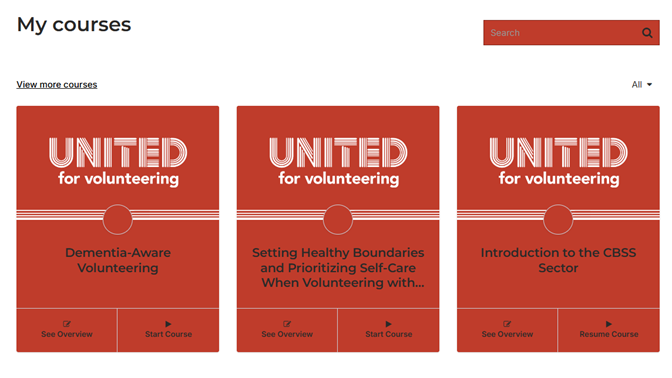
Courses will save your progress on completion of each section. If you have to leave the course, you may resume the course at anytime by logging into your account and visiting your dashboard.
You will find all your enrolled courses and may resume them from this list.
Downloading Past Certificates
The certificates are emailed to you on completion of a course.
If you need to access a certificate from previously completed courses login to your account and view your account details by clicked the drop down arrow next to your name in the top right corner. Once you are on your account profile, navigate to the "Certificates" link.
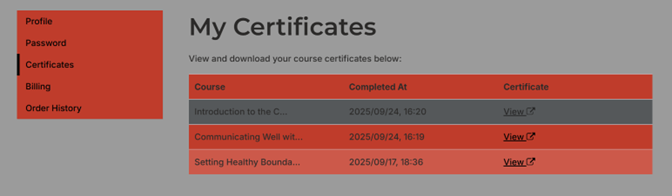
Click the "View" link to open and access your certificate. You may redownload or copy a link to be shared with your volunteer coordinator.